Code 401 Class 10 Reading Notes
Stacks & Queues
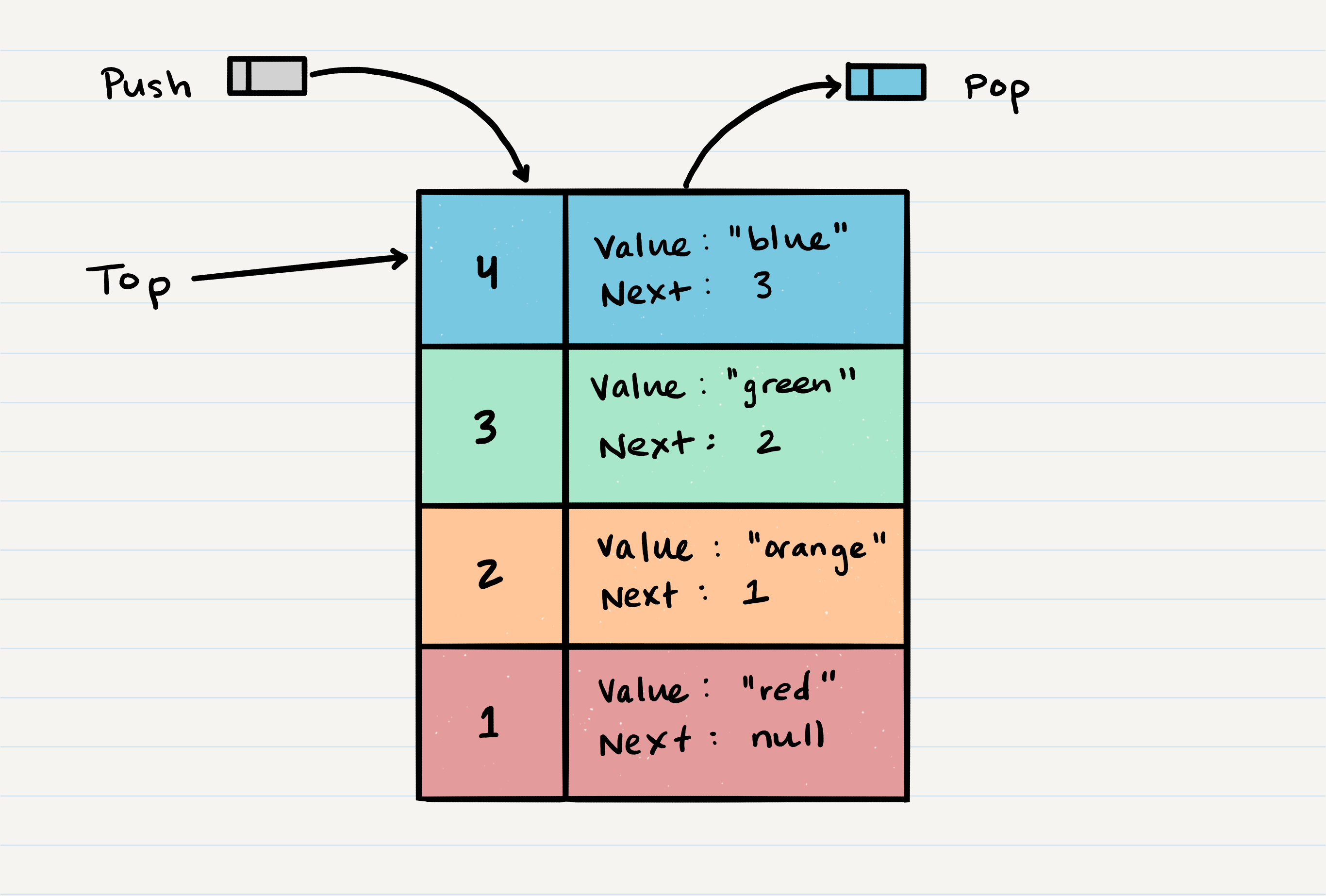
- Stack: Data structure that consists of
Nodes. EachNodereferences the next Node in the stack, but does not reference its previous.
Stack Terminology:
- Push: Nodes or items that are put into the stack are pushed.
- Pop: Nodes or items that are removed from the stack are popped.
- Top: This is the top of the stack.
- Peek: When you
peekyou will view the value of thetopNode in the stack. When you attempt topeekan empty stack and exception will be raised. - isEmpty: returns true when stack is empty, otherwise returns false.
- FILO First In Last Out: Means that the first item added in the stack will be the last item popped out of the stack.
- LIFO Last In First Out: Means that the last item added to the stack will be the first item popped out of the stack.
Stack Visualization
Big O
Pushing a Node onto a stack will always be an O(1) operations. This is because it takes the same amount of time no matter how many Nodes (n) you have in the stack.
When adding a Node, you push it into the stack by assigning it as the new top, with its next property equal to the original top.
Follow the below steps to add a Node.
1.Have the Node you want to add. This is 5, with the value of “gray” and next is null.
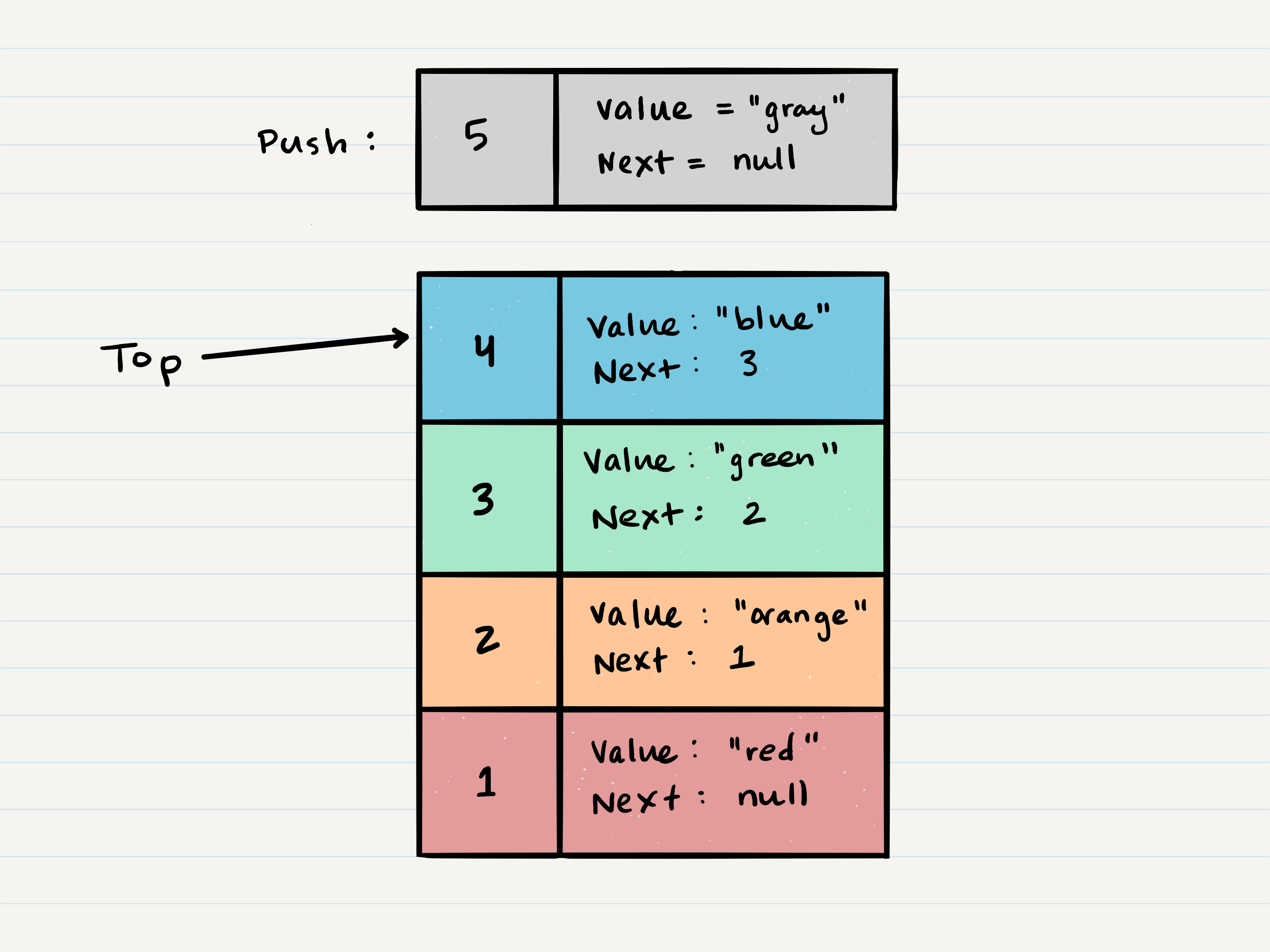
2.Assign next property of Node 5 to reference the same Node that top is referencing: Node 4
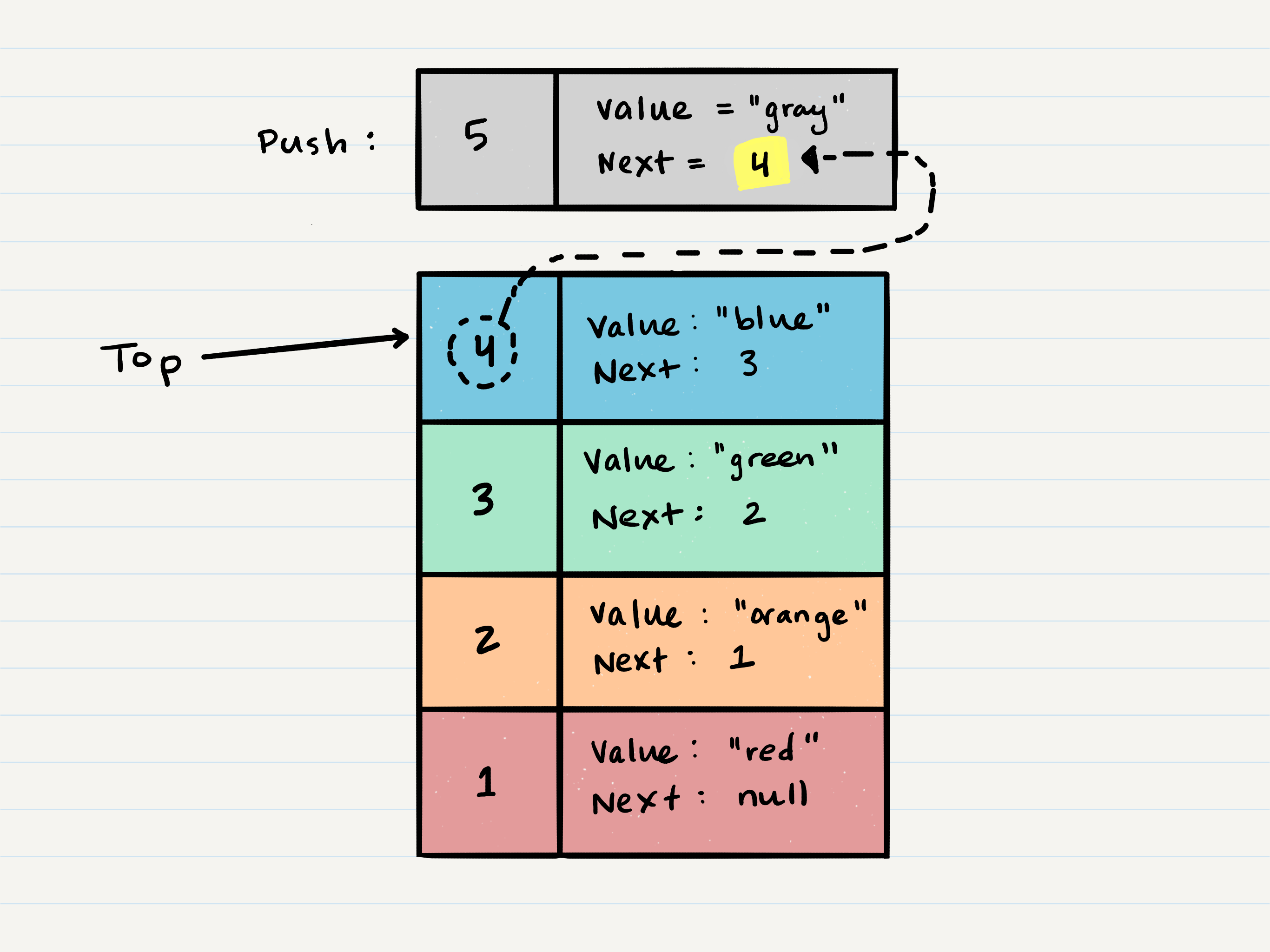
3.At this point, the new Node is added to the stack, but you need to re-assign the reference top to the newly added Node, Node 5.
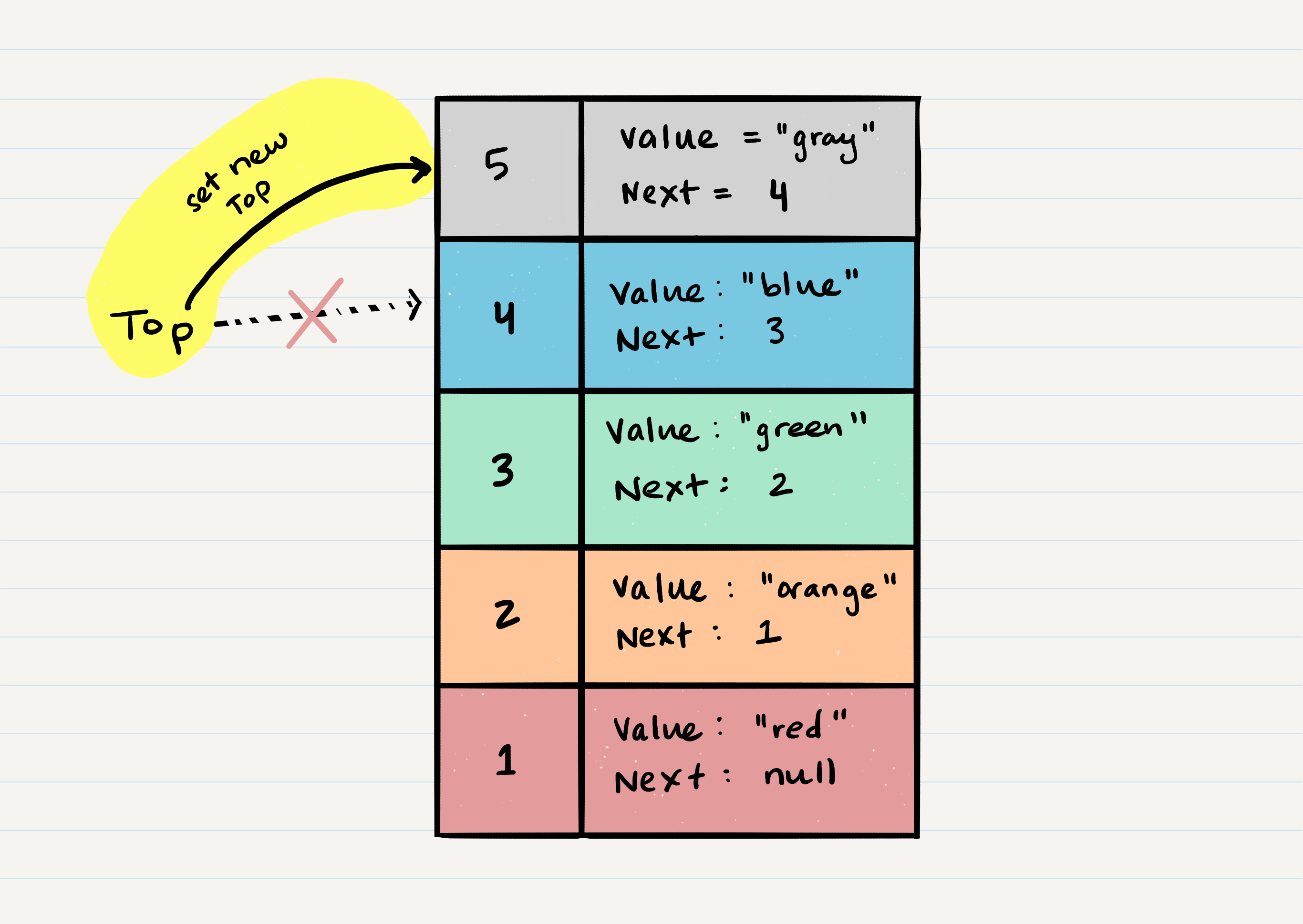
4.FIN! Please see the pseuodcode to push a value onto a stack:
ALOGORITHM push(value)
// INPUT <-- value to add, wrapped in Node internally
// OUTPUT <-- none
   node = new Node(value)
   node.next <-- Top
   top <-- Node
Pop
1.First step of removing a Node from stack is to create a reference named temp that points to the same Node that top points to.
2.Once reference temp is created. You now need to re-assign top to the value that the `next property is referencing.
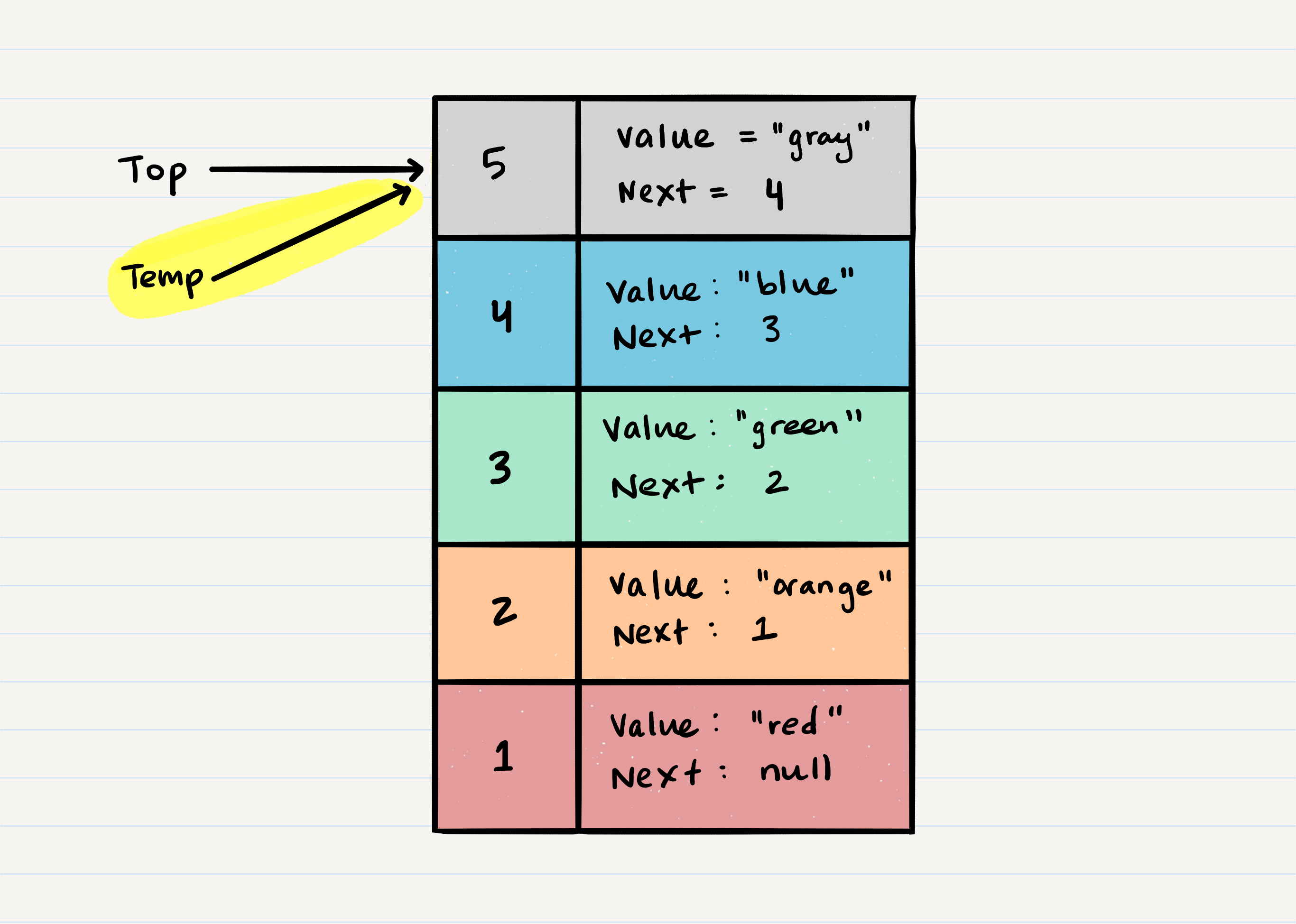
3.This allows us to safely remove Node 5 without it affecting the rest of the stack. Before doing that, we may want to make sure the we clear out the next property in our current temp reference. This will ensure that no further references to Node 4 are floating around the heap.
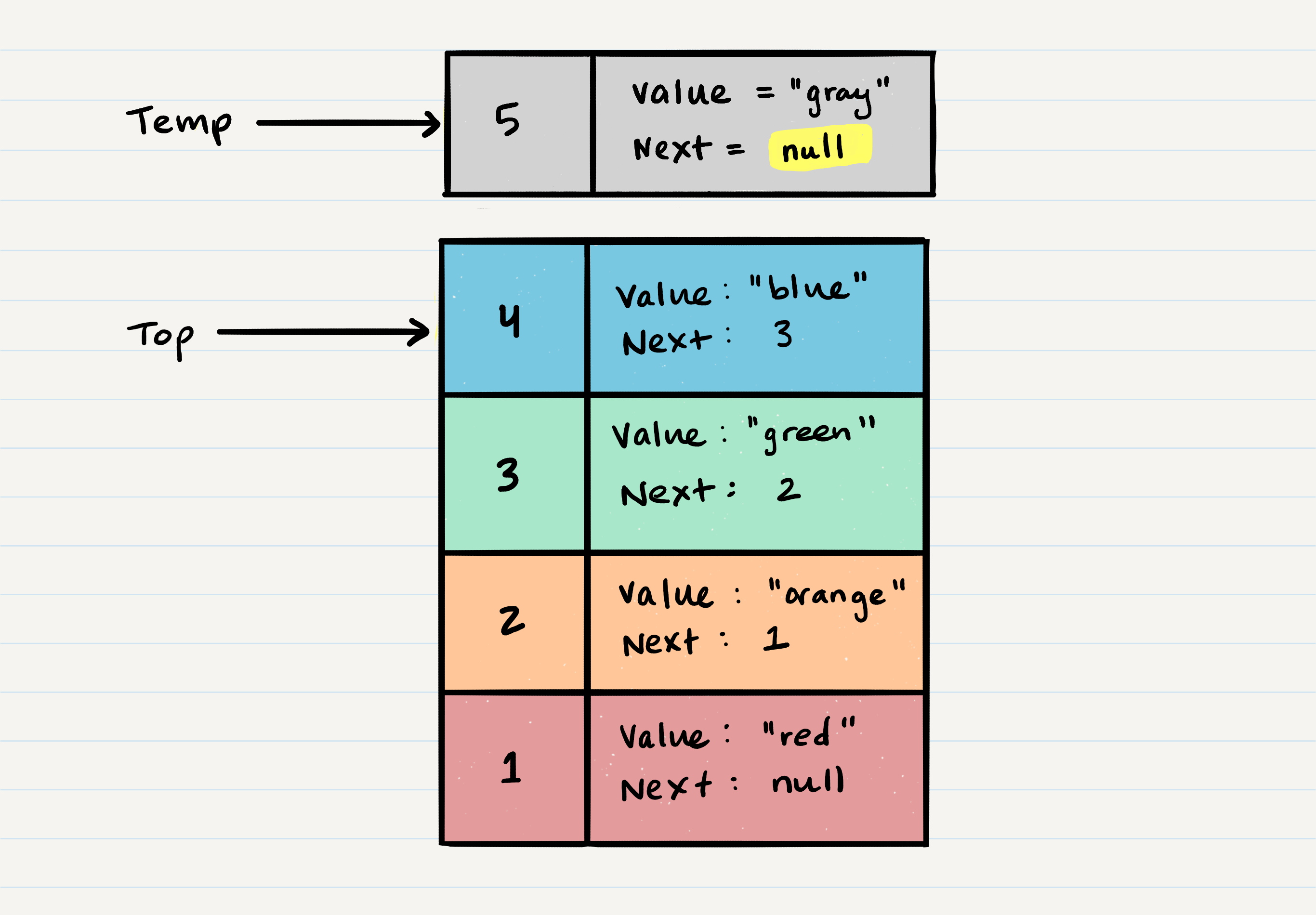
4.Finally returning the value of the temp Node that was just popped off. Please see below for the pseudocode.
ALGORITHM pop()
// INPUT <-- No input
// OUTPUT <-- value of top Node in stack
// EXCEPTION if stack is empty

   Node temp <-- top
   top <-- top.next
   temp.next <-- null
   return temp.value
- Peek O(1):
return top.value- peeks at the top value, typically, you would checkisEmptybefore conducting a peek. A try/catch block will work as well. - IsEmpty O(1):
return top = Null
What is a Queue
- Enqueue: Nodes or items that are added to the queue.
- Dequeue: Nodes or items that are removed from the queue. If called when the queue is empty an exception will be raised.
- Front: This is the front/first Node of the queue.
- Rear: This is the rear/last Node of the queue.
- Peek: Whe you
peekyou will view the value of thefrontNode in the queue. If called when the queue is empty an exception will be raised. - IsEmpty: returns true when queue is empty otherwise returns false.
Queue follows FIFO and LILO
First In First Out and Last In Last Out
Queue Visualization
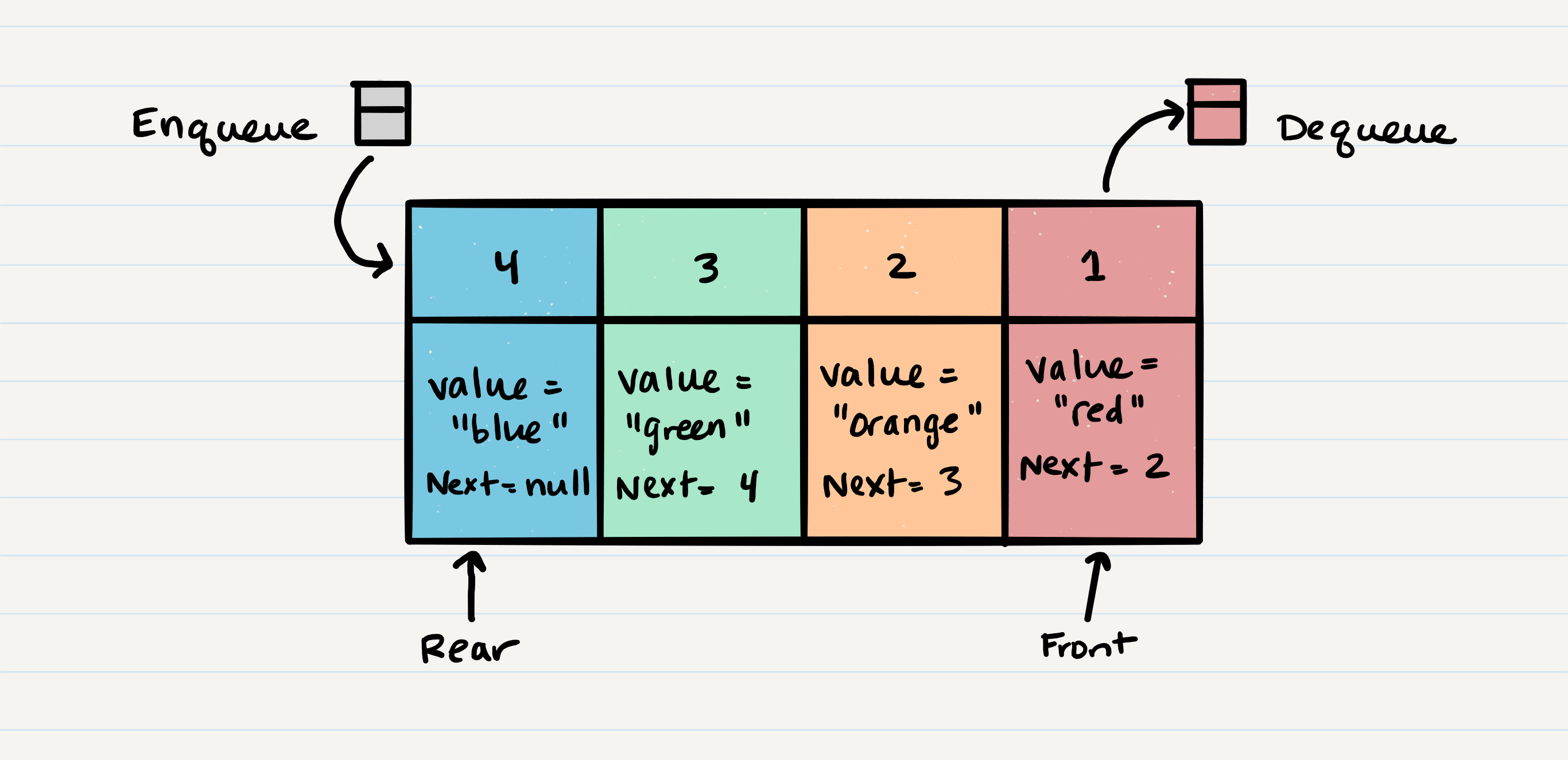
Enqueue O(1)
Does not matter how many other items live in the queue, so it is O(1), as it takes the same amount of time to perform the operation.
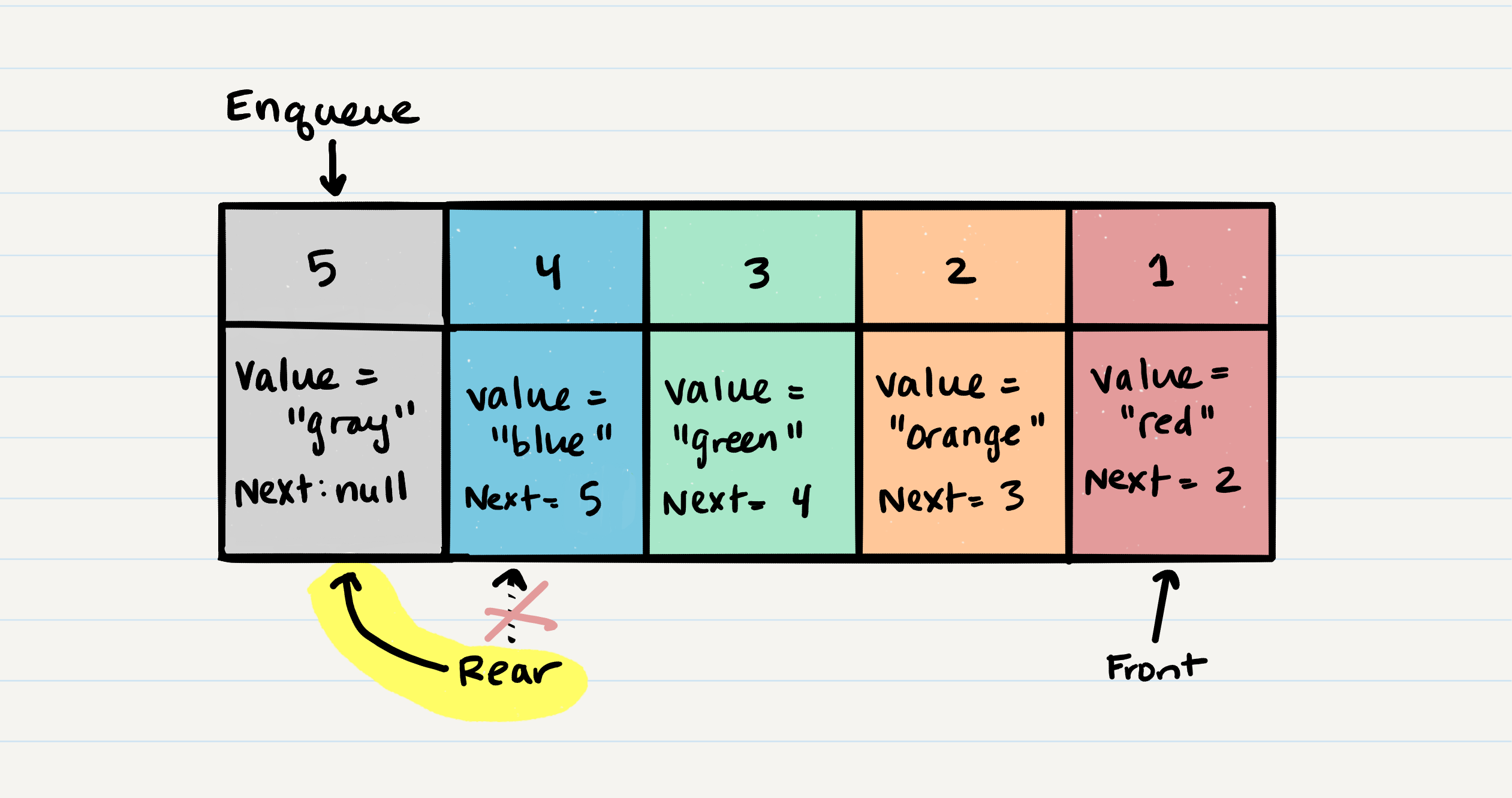
1.First, we change the next property of Node 4 to point to the Node we are adding. This means re-assigning Node 4's .next to Node 5. The only way we have access to Node 4 is through our reference rear. This means that we must change rear.next to Node 5.
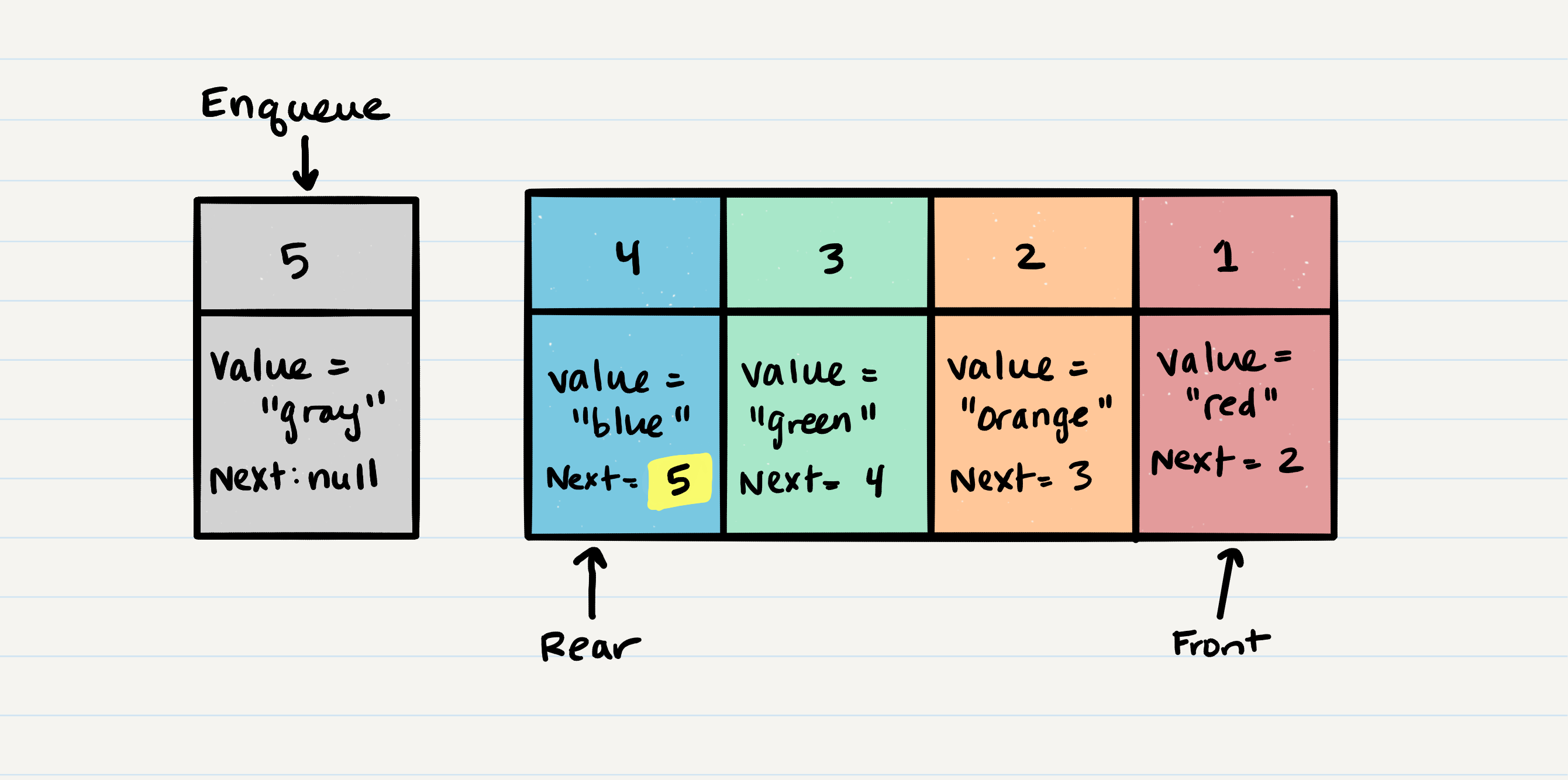
2.After setting the next property, we can re-assign the rear reference to point to Node 5. This allows us to keep a reference of where the rear is, and we can continue to enqueue Nodes into the queue as needed.
Code
ALGORITHM enqueue(value)
// INPUT <-- value to add to queue (will be wrapped in Node internally)
// OUTPUT <-- none
   node = new Node(value)
   rear.next <-- node
   rear <-- node
Dequeue O(1)
1.check isEmpty, and create a temp reference type named temp and have it point to the same Node that front is pointing to.
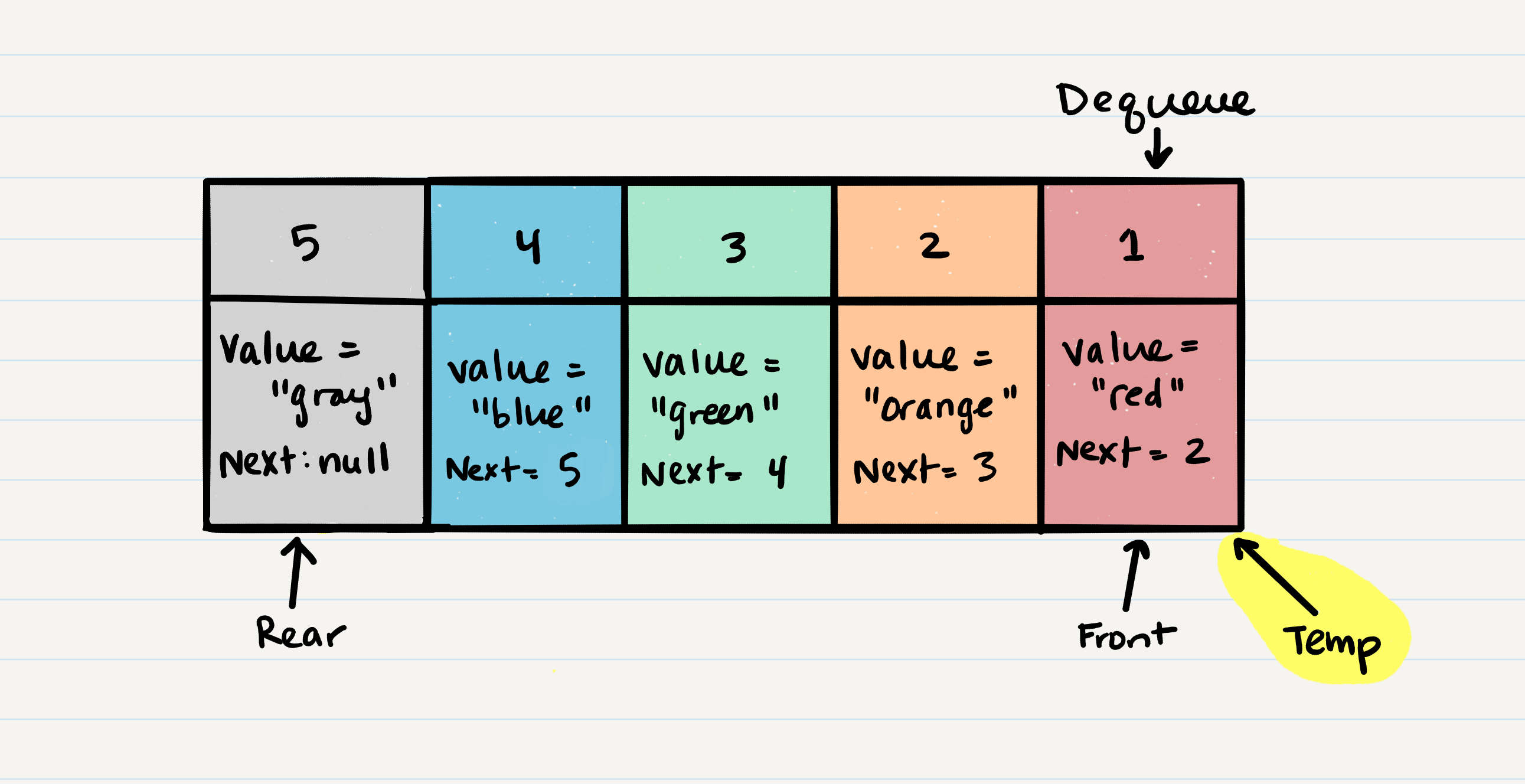
2.Re-assign front to the next value that the Node front is referencing.
3.Now we can re-assign the next property on the temp Node to null.
Dequeue Code
ALGORITHM dequeue()
// INPUT <-- none
// OUTPUT <-- value of the removed Node
// EXCEPTION if queue is empty

   Node temp <-- front
   front <-- front.next
   temp.next <-- null

   return temp.value